 TATER
TATER Frameworks & Standards
TATER evaluates one original control set — the TATER Control Framework — and crosswalks each control by identifier to NIST 800-53, ISO 27001, SOC 2, PCI-DSS, HIPAA, CIS Benchmarks, CISA SCuBA, DISA STIGs, CMMC, UK Cyber Essentials, Australian Essential Eight, MITRE ATT&CK, and more. Build custom frameworks and track cross-standard mapping. A crosswalk identifies where a control aligns to a framework requirement; it is not a certification.
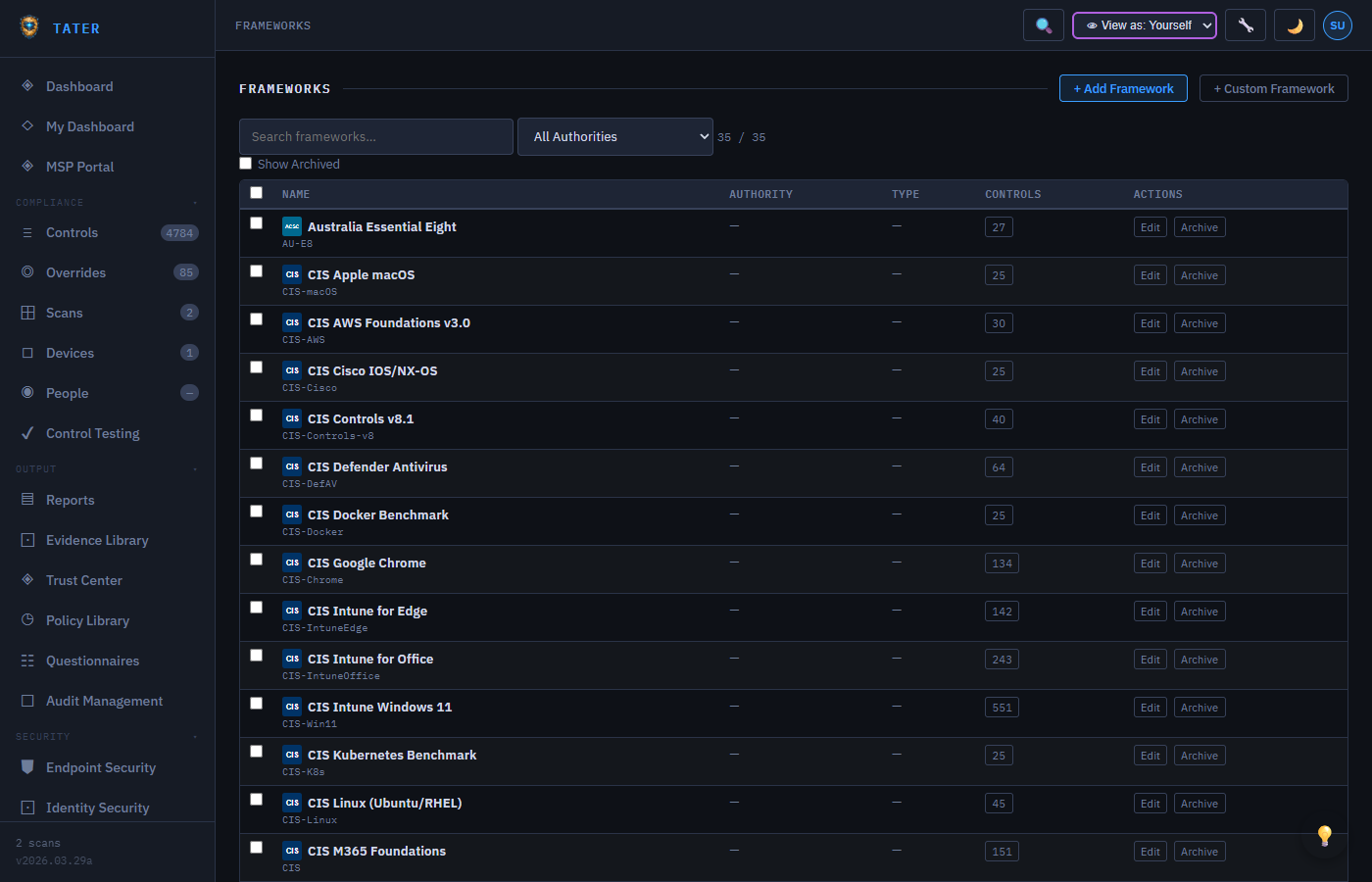
Supported Frameworks
TATER supports the following compliance frameworks and standards out of the box:
| Framework | Description | Control Count |
|---|---|---|
| CIS Microsoft 365 | Center for Internet Security M365 Foundations Benchmark | 200+ |
| CISA SCuBA | Secure Cloud Business Applications baselines for M365 | 150+ |
| DISA STIGs | Defense Information Systems Agency Security Technical Implementation Guides | 100+ |
| NIST 800-53 | Security and Privacy Controls for Information Systems | Cross-mapped |
| ISO 27001 | Information Security Management Systems (Annex A controls) | Cross-mapped |
| SOC 2 | Trust Services Criteria (Security, Availability, Processing Integrity, Confidentiality, Privacy) | Cross-mapped |
| PCI-DSS | Payment Card Industry Data Security Standard | Cross-mapped |
| HIPAA | Health Insurance Portability and Accountability Act | Cross-mapped |
| GDPR | EU General Data Protection Regulation (privacy + data subject rights) | Cross-mapped |
| FedRAMP | Federal Risk and Authorization Management Program (Low / Moderate / High baselines) | Cross-mapped |
| CMMC | Cybersecurity Maturity Model Certification (DoD contractor baseline) | Cross-mapped |
| NIST RMF | NIST Risk Management Framework (SP 800-37) - 6-step lifecycle: Categorize → Select → Implement → Assess → Authorize → Monitor. Tracked via the RMF module (see poam-guide.html#rmf). | 6 steps + ATO artifacts |
| ISO 42001 (AI Mgmt) | AI Management Systems for organizations developing or deploying AI | Cross-mapped |
| ITIL 4 | Service Management practices (Incident, Service Request, Problem, Change Enablement). Drives TaskerProfiles for ops workflows. | 5 process profiles |
| NIST SP 800-61 | Computer Security Incident Handling Guide. Drives the IR TaskerProfile lifecycle. | IR phases |
| ISO 20000 | IT Service Management standard (mapped via TaskerProfiles) | Cross-mapped |
| MITRE ATT&CK | Adversarial Tactics, Techniques, and Common Knowledge | Cross-mapped |
CIS, CISA SCuBA, and DISA STIGs are directly evaluated by TATER's scan engine. Other frameworks (NIST, ISO, SOC 2, PCI-DSS, HIPAA) are cross-mapped, meaning their compliance posture is derived from the results of directly-evaluated controls.
Standards Detail View
Click any standard from the Frameworks page to open the Standards Detail view, which provides a deep dive into compliance against that specific standard:
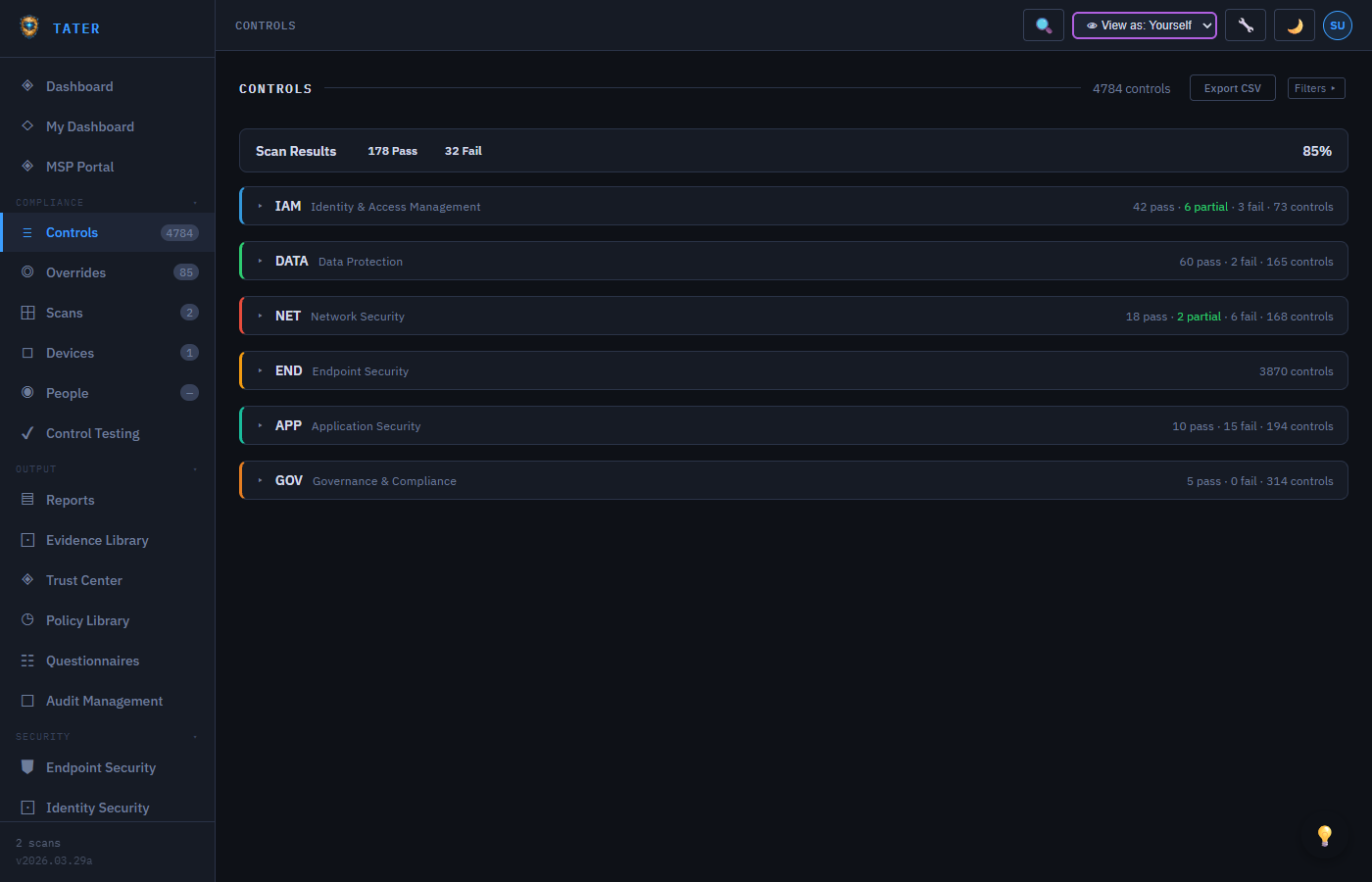
Section-Level Mapping
Each standard is broken into sections (e.g., NIST 800-53 control families like AC, AU, IA). For each section, the detail view shows:
- Section title and description
- Number of controls mapped to that section
- Compliance percentage (pass rate within the section)
- List of individual controls with their current status
AI-Powered Narratives
TATER generates narrative summaries for each standard section describing your compliance posture in plain language. These narratives are stored per-organization using the Comments API with targetType: 'standard-narrative'.
- Narratives explain what the section covers and how your organization meets (or does not meet) the requirements
- Narratives can be edited manually to add organization-specific context
- Updated automatically when scan results change, with manual edits preserved
Cross-Standard Mapping
Controls often satisfy requirements across multiple standards. The cross-mapping view shows:
- Which controls from your primary framework (e.g., CIS) map to controls in secondary frameworks (e.g., NIST, ISO)
- Coverage gaps where a secondary framework has requirements not covered by existing controls
- Overlap analysis showing how many controls serve double or triple duty across frameworks
MITRE ATT&CK Mapping
Controls are mapped to MITRE ATT&CK techniques to provide visibility into defensive coverage against known adversary behaviors:
- Tactic groups: Initial Access, Execution, Persistence, Privilege Escalation, Defense Evasion, Credential Access, Discovery, Lateral Movement, Collection, Exfiltration, Command and Control, Impact
- Technique badges: Each mapped control displays its associated ATT&CK technique ID (e.g., T1078, T1110)
- Coverage heatmap: Visual representation of which techniques have passing controls vs. gaps
- Gap analysis: Identify techniques with no passing controls, indicating defensive blind spots
Risk Scoring
Each control is assigned a weighted risk score based on its severity, framework importance, and environmental context:
- Base score: Derived from the control's severity level (Critical, High, Medium, Low)
- Framework weight: Controls mapped to more frameworks receive higher risk weights
- Environmental factor: Adjusted based on your organization's specific risk profile and primary applications
- Aggregate risk: The total risk score across all failing controls is displayed on the dashboard
SLA Tracking
SLA tracking monitors remediation timelines for failing controls based on their severity:
| Severity | Default SLA | Warning Threshold |
|---|---|---|
| Critical | 24 hours | 12 hours before deadline |
| High | 7 days | 48 hours before deadline |
| Medium | 30 days | 7 days before deadline |
| Low | 90 days | 14 days before deadline |
SLA deadlines can be customized per organization in Organization Settings. The dashboard SLA summary widget shows within-SLA, warning, and breached counts.
Custom Frameworks
Build your own compliance frameworks tailored to your organization's specific requirements:
Building a Custom Framework
- Navigate to the Custom Frameworks page in the GRC section
- Click New Framework to open the framework builder
- Define framework metadata: name, description, version, authority
- Add domains by dragging and dropping or creating new ones
- Define controls within each domain, including threshold definitions for the V2 evaluation engine
- Map custom controls to existing standard frameworks (CIS, NIST, ISO) for cross-reference
Import & Export
Custom frameworks can be shared across organizations via JSON export/import:
- Export: Download the framework definition as a JSON file for distribution
- Import: Upload a JSON framework file to add it to your organization
- MSP distribution: Managed Service Providers can create standardized frameworks and distribute them to all client organizations
Vulnerability Frameworks
TATER treats vulnerability data as a separate framework category. The Framework Category Filter on the Controls page allows toggling between:
- All Categories: Shows both compliance and vulnerability controls
- Compliance: Traditional compliance controls (CIS, NIST, ISO, etc.)
- Vulnerability: Vulnerability-derived controls (MDE-VULN, CISA-KEV)
Vulnerability frameworks use the VULN-MGMT authority and isVuln: true flag to distinguish them from compliance frameworks.
Two-Tier Visibility
Frameworks, standards, and controls follow a two-tier visibility model:
- Default items (
isDefault=true): Visible to every organization, editable only by SuperAdmin - Organization items (
organizationIdset): Visible only to that organization, editable by OrgAdmin+ or SuperAdmin - GET queries return the union of both default and org-specific items
- Org-specific items with matching IDs override default items